Come mi registro al servizio KidLogger.net?
Mi sono registrato. Qual è il prossimo passo?
Come visualizzare i log delle attività e i report su KidLogger.net?
Come monitorare più dispositivi utilizzando un unico account?
Come impostare e inviare report via e-mail?
Come scaricare una copia di backup dei dati caricati?
Come rinnovare o prolungare il mio account?
Come inviare i report via e-mail?
- Gli utenti Standard e Professional possono ricevere report via e-mail per ogni dispositivo collegato. Gli utenti Standard possono inviare 1 report al giorno per dispositivo, i Professional fino a 5.
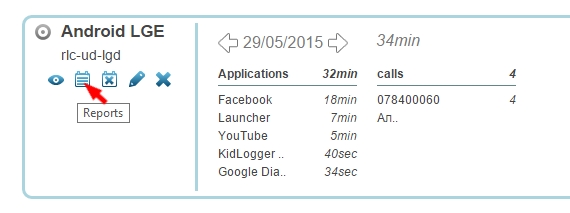
- Accedi a KidLogger.net e clicca sull'icona Reports accanto al nome del dispositivo.
- Nella finestra successiva, scegli i datos da includere, il tuo indirizzo e-mail e l'orario di invio. Seleziona is Active e clicca su Add Report.
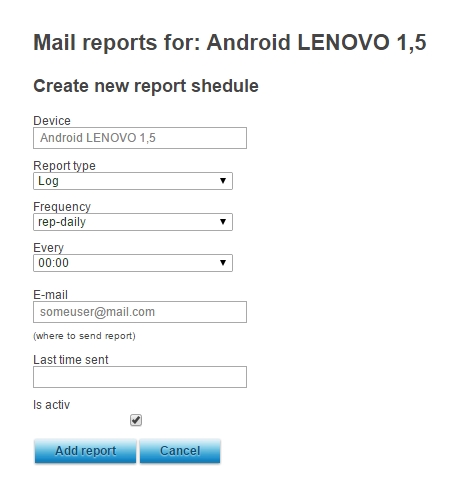
- È possibile impostare orari, indirizzi e tipi di informazioni diversi per ogni dispositivo.
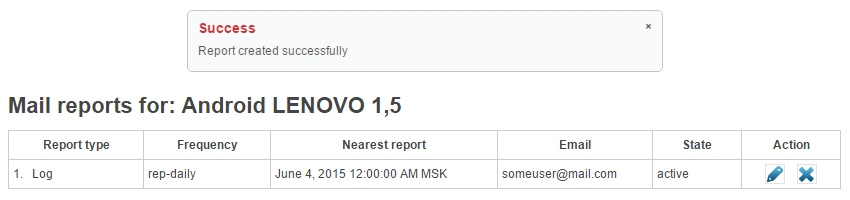
- Nella schermata successiva vedrai quando è stato inviato l'ultimo report e potrai modificarlo o rimuoverlo.