Hur registrerar jag mig på KidLogger.net-tjänsten?
Jag har registrerat mig. Vad är nästa steg?
Hur granskar jag aktivitetsloggar och rapporter på KidLogger.net?
Hur övervakar jag flera enheter med ett enda konto?
Hur ställer jag in och skickar e-postrapporter?
Hur laddar jag ner en säkerhetskopia av uppladdade data?
Hur betalar jag för en prenumeration?
Hur man laddar ner en kopia av uppladdad data
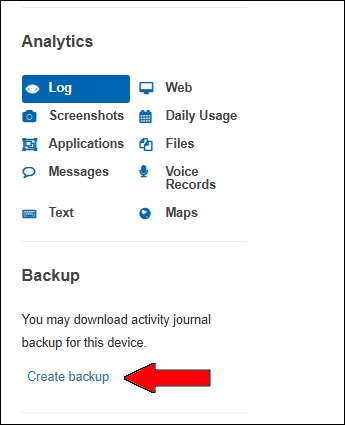
- Användare med Standard eller Professional kan ladda ner en säkerhetskopia av skickade loggar. Länken finns under analystabellen.
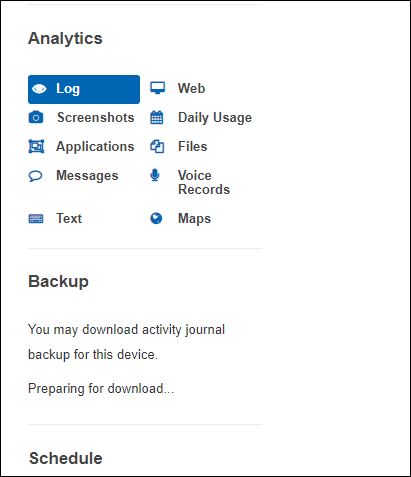
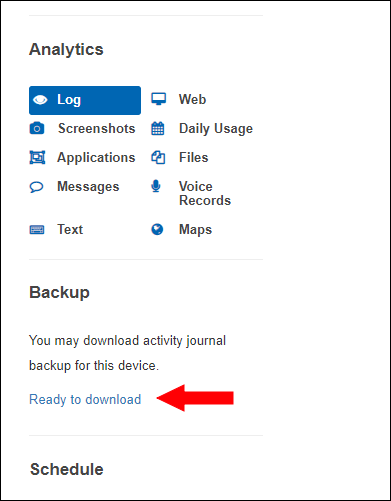
- Servern förbereder paketet. Du ser Preparing for downloading... och sen Ready to Download.
Du kan ladda ner eller ta bort filer på nedladdningssidan.
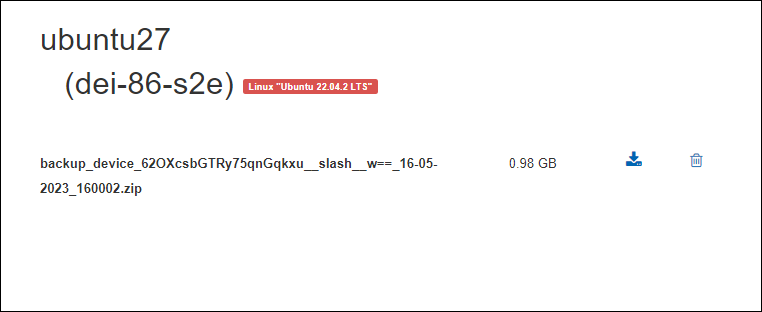
Filen sparas i 5 dagar. Ta bort den gamla för att skapa en ny.