मैं KidLogger.net सेवा पर पंजीकरण कैसे करूं?
मैंने पंजीकरण कर लिया है। अगला कदम क्या है?
KidLogger.net पर गतिविधि लॉग और रिपोर्ट की समीक्षा कैसे करें?
एक ही खाते का उपयोग करके कई उपकरणों की निगरानी कैसे करें?
ईमेल रिपोर्ट कैसे सेट करें और भेजें?
अपलोड किए गए डेटा की बैकअप प्रति कैसे डाउनलोड करें?
सदस्यता के लिए भुगतान कैसे करें?
सर्वर पर अपलोड किए गए डेटा की कॉपी कैसे डाउनलोड करें
- Standard या Professional उपयोगकर्ता भेजे गए लॉग का बैकअप डाउनलोड कर सकते हैं। लिंक एनालिटिक्स टेबल के नीचे है।
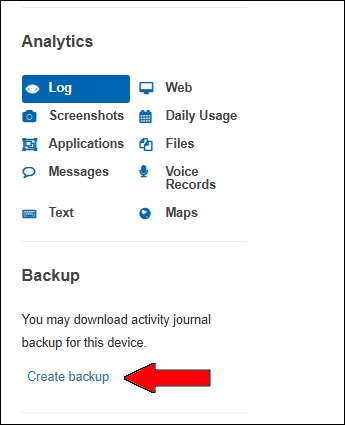
- सर्वर फाइल तैयार करता है। आपको Preparing for downloading... और फिर Ready to Download दिखेगा।
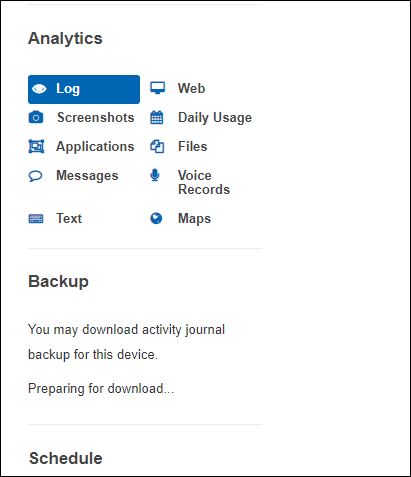
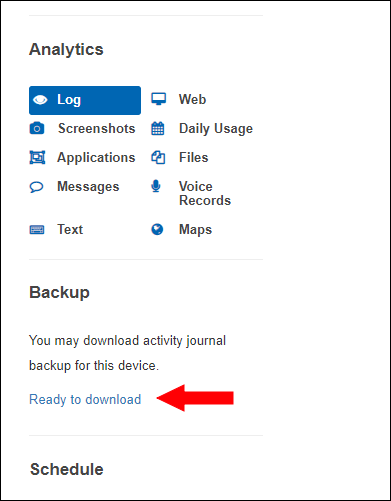
डाउनलोड पेज पर आप फाइल डाउनलोड या डिलीट कर सकते हैं।
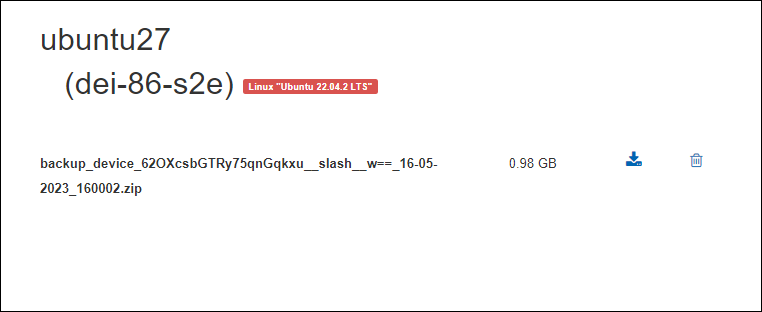
फाइल 5 दिनों तक रहती है। नया बैकअप बनाने के लिए पुराना डिलीट करें।