Comment s'inscrire au service KidLogger.net ?
Je me suis inscrit. Quelle est la prochaine étape ?
Comment consulter les journaux d'activité et les rapports sur KidLogger.net ?
Comment surveiller plusieurs appareils avec un seul compte ?
Comment configurer et envoyer des rapports par e-mail ?
Comment télécharger une copie de sauvegarde des données téléchargées ?
Comment renouveler ou prolonger mon compte ?
Comment télécharger une copie des données téléchargées sur le serveur
- Les utilisateurs Standard ou Professional peuvent télécharger une copie de sauvegarde de tous les journaux d'activité envoyés. Le lien se trouve sous le tableau d'analyse.
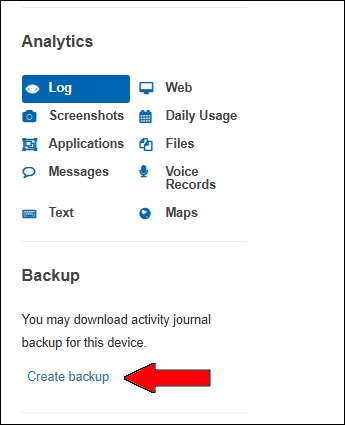
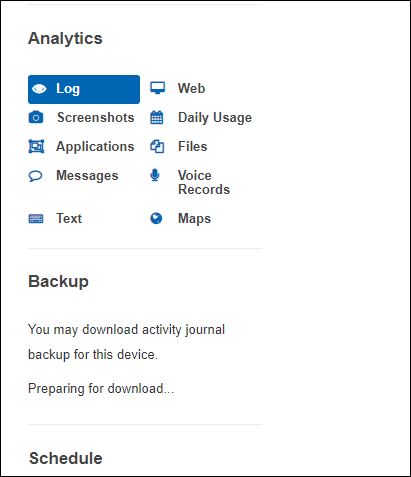
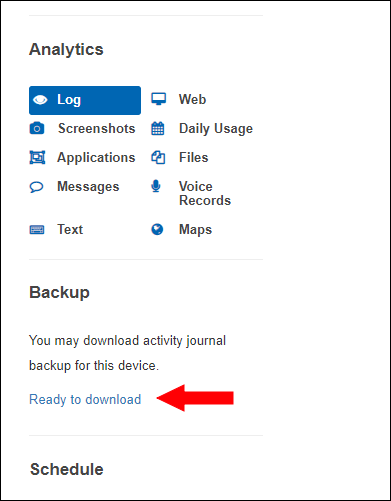
- Le serveur prépare l'archive. Le message Preparing for downloading... s'affiche, puis le lien Ready to Download apparaît.
Sur la page, vous pouvez télécharger ou supprimer les sauvegardes créées.
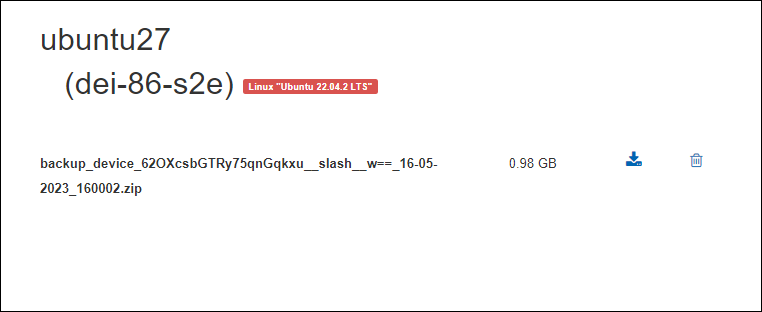
Le fichier est conservé 5 jours. Pour une nouvelle sauvegarde, supprimez l'ancienne.