Wie registriere ich mich beim KidLogger.net-Service?
Ich habe mich registriert. Was ist der nächste Schritt?
Wie kann ich Benutzeraktivitätsprotokolle und Berichte auf KidLogger.net einsehen?
Wie überwache ich mehrere Geräte mit einem einzigen Konto?
Wie richte ich E-Mail-Berichte ein und versende sie?
Wie lade ich eine Sicherungskopie der hochgeladenen Daten herunter?
Wie bezahle ich für ein Abonnement?
So laden Sie eine Kopie der hochgeladenen Daten herunter
- Nutzer mit Standard- oder Professional-Profilen können eine Sicherungskopie aller hochgeladenen Aktivitätsprotokolle herunterladen. Den Download-Link finden Sie unter der Analysetabelle auf der Geräteseite.
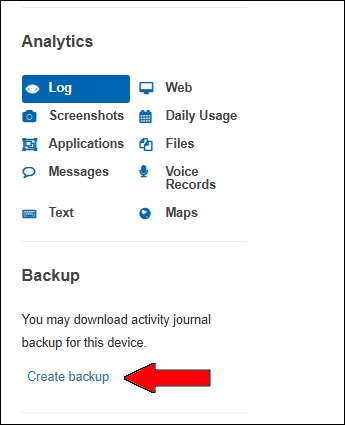
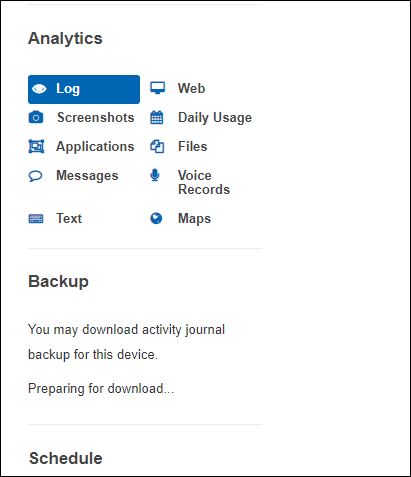
- Der Server benötigt Zeit zur Vorbereitung. Währenddessen wird Preparing for downloading... angezeigt. Sobald das Paket fertig ist, erscheint der Link Ready to Download.
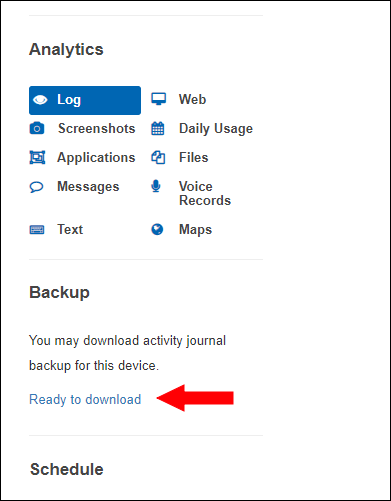
Auf der Download-Seite können Sie die Sicherungsdateien herunterladen oder löschen.
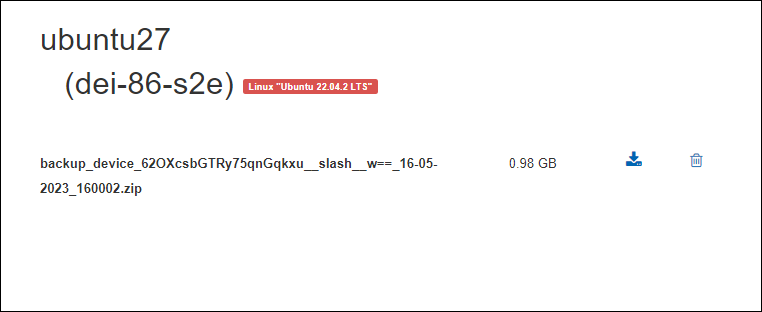
Die Sicherungsdatei wird 5 Tage lang gespeichert. Um ein neues Backup zu erstellen, müssen Sie zuerst die alte Datei löschen.